Mars3D与Cesium三维GIS页面崩溃之谜:显存泄漏致WebGL引擎永久失效
当使用浏览器打开使用Mars3D或Cesium开发的三维GIS页面,特别是占用显存比较大的应用,运行一段时间后会报 Fragment shader failed to compile 的错误。对于长时间运行的应用,连续运行5~~6天后,页面崩溃报错后,即使重启浏览器都无效了,只能重启电脑解决。
具体现象
1、占用显存大的Mars3D或Cesium应用长时间运行后会报错:RuntimeError: Fragment shader failed to compile. Compile log: null.
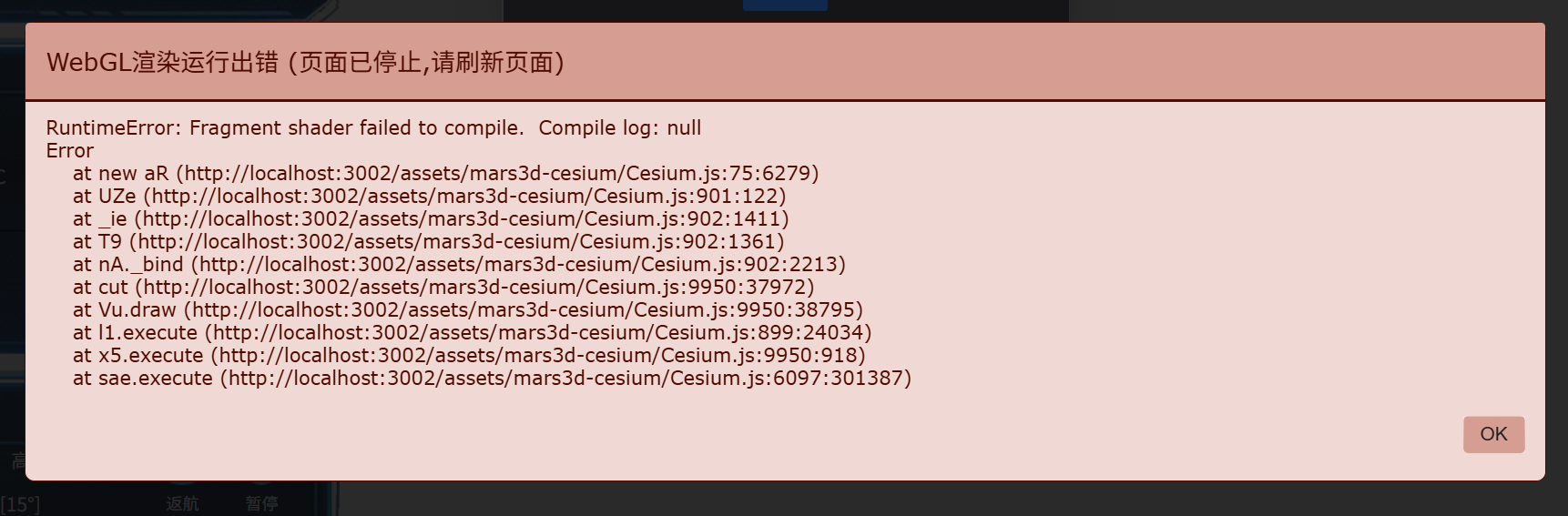
2、刚开始报错时,刷新浏览器即可恢复。等连续运行5~6天后,报错即使重启浏览器都无法解决,表现为一进入三维立刻报错,这时可能会报另外一个错误:Visit http://get.webgl.org to verify that your web browser and hardware support WebGL. 即使偶然能正常显示三维,但是CPU占用率很高,GPU占用率较低,几何不占用显存,页面非常卡顿。
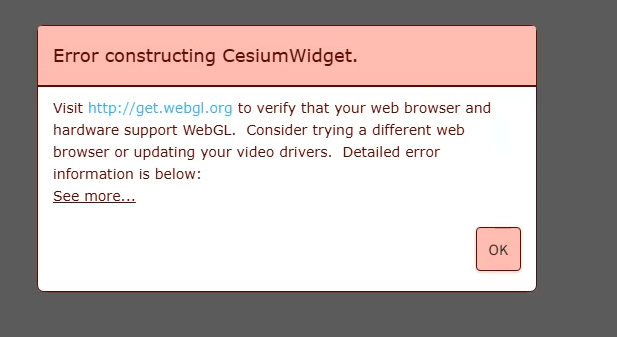
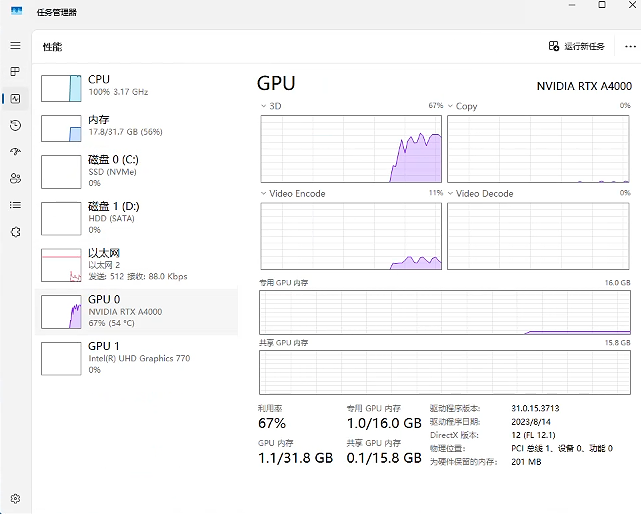
3、浏览器控制台可能会打印类似下面的错误。
bigscreen/#/:1  [.WebGL-0x1c8c06a6dc00] GL_CONTEXT_LOST_KHR: glBindFramebuffer: Context has been lost.
bigscreen/#/:1  [.WebGL-0x1c8c06a6dc00] GL_CONTEXT_LOST_KHR: glBindFramebuffer: Context has been lost.
bigscreen/#/:1  [.WebGL-0x1c8c06a6dc00] GL_CONTEXT_LOST_KHR: glDisable: Context has been lost.
bigscreen/#/:1  [.WebGL-0x1c8c06a6dc00] GL_CONTEXT_LOST_KHR: glDisable: Context has been lost.
bigscreen/#/:1  [.WebGL-0x1c8c06a6dc00] GL_CONTEXT_LOST_KHR: glBindFramebuffer: Context has been lost.
bigscreen/#/:1  [.WebGL-0x1c8c06a6dc00] GL_CONTEXT_LOST_KHR: glDrawBuffers: Context has been lost.
bigscreen/#/:1  [.WebGL-0x1c8c06a6dc00] GL_CONTEXT_LOST_KHR: glDisable: Context has been lost.
bigscreen/#/:1  [.WebGL-0x1c8c06a6dc00] GL_CONTEXT_LOST_KHR: glStencilMask: Context has been lost.
bigscreen/#/:1  [.WebGL-0x1c8c06a6dc00] GL_CONTEXT_LOST_KHR: glViewport: Context has been lost.
bigscreen/#/:1  [.WebGL-0x1c8c06a6dc00] GL_CONTEXT_LOST_KHR: glUseProgram: Context has been lost.
bigscreen/#/:1  [.WebGL-0x1c8c06a6dc00] GL_CONTEXT_LOST_KHR: glActiveTexture: Context has been lost.
bigscreen/#/:1  [.WebGL-0x1c8c06a6dc00] GL_CONTEXT_LOST_KHR: glBindTexture: Context has been lost.
bigscreen/#/:1  WebGL: CONTEXT_LOST_WEBGL: loseContext: context lost
Cesium.js:899  [Cesium WebGL] Fragment shader compile log: null
KBe @ Cesium.js:899
Cesium.js:899  [Cesium WebGL]  Fragment shader source:
#version 300 es
#ifdef GL_FRAGMENT_PRECISION_HIGH
    precision highp float;
    precision highp int;
...
...
#ifdef FRAGMENT_DEPTH_CHECK
in vec4 v_textureCoordinateBounds;
in vec4 v_originTextureCoordinateAndTranslate;
in vec4 v_compressed;
in mat2 v_rotationMatrix;


KBe @ Cesium.js:899
Cesium.js:15827  WebGL渲染运行出错 (页面已停止,请刷新页面)
RuntimeError: Fragment shader failed to compile.  Compile log: null
Error
    at new l1 (Cesium.js:74:6279)
    at KBe (Cesium.js:900:122)
    at ooe (Cesium.js:901:1411)
    at GD (Cesium.js:901:1361)
    at tA._bind (Cesium.js:901:2213)
    at Sut (Cesium.js:9842:44218)
    at Cu.draw (Cesium.js:9842:45041)
    at uL.execute (Cesium.js:898:24035)
    at bf (Cesium.js:15449:18769)
    at zEt (Cesium.js:15449:19670)
Yo.showErrorPanel @ Cesium.js:15827
原因分析
1、Mars3D或Cesium开发的三维GIS页面,当有非常多3dtiles三维模型,跟Vue一起使用时,很容易未释放资源导致内存或显存泄漏。当显存占用达到一定程度时,WebGL引擎崩溃,报 RuntimeError: Fragment shader failed to compile 的错误。这个错误是WebGL崩溃导致的结果而不是原因,并不是代码错误导致WebGL崩溃的。
2、当连续5~6天高负荷运行后,WebGL引擎崩溃后,即使重启浏览器WebGL引擎都无法恢复了,表现为以下几点。
(1)更换不同型号的显卡无法解决这个问题,排除显卡问题。
(2)升级不同版本的显卡驱动无法解决这个问题,排除显卡驱动问题。
(3)更换不同的浏览器,例如Chrome、Edge或火狐,无法解决这个问题,排除浏览器问题。
(4)使用不同的三维框架,例如Cesium.js、Mars3D或Three.js,当显存占用达到一定程度时,都会立刻报错,重启浏览器无效,排除Cesium或Mars3D的问题。
(5)重启浏览器偶尔三维会显示,但是非常卡顿,CPU使用率很高、GPU使用率较低、几乎不占用显存,这是由于WebGL引擎崩溃未恢复,浏览器使用CPU渲染三维导致的。
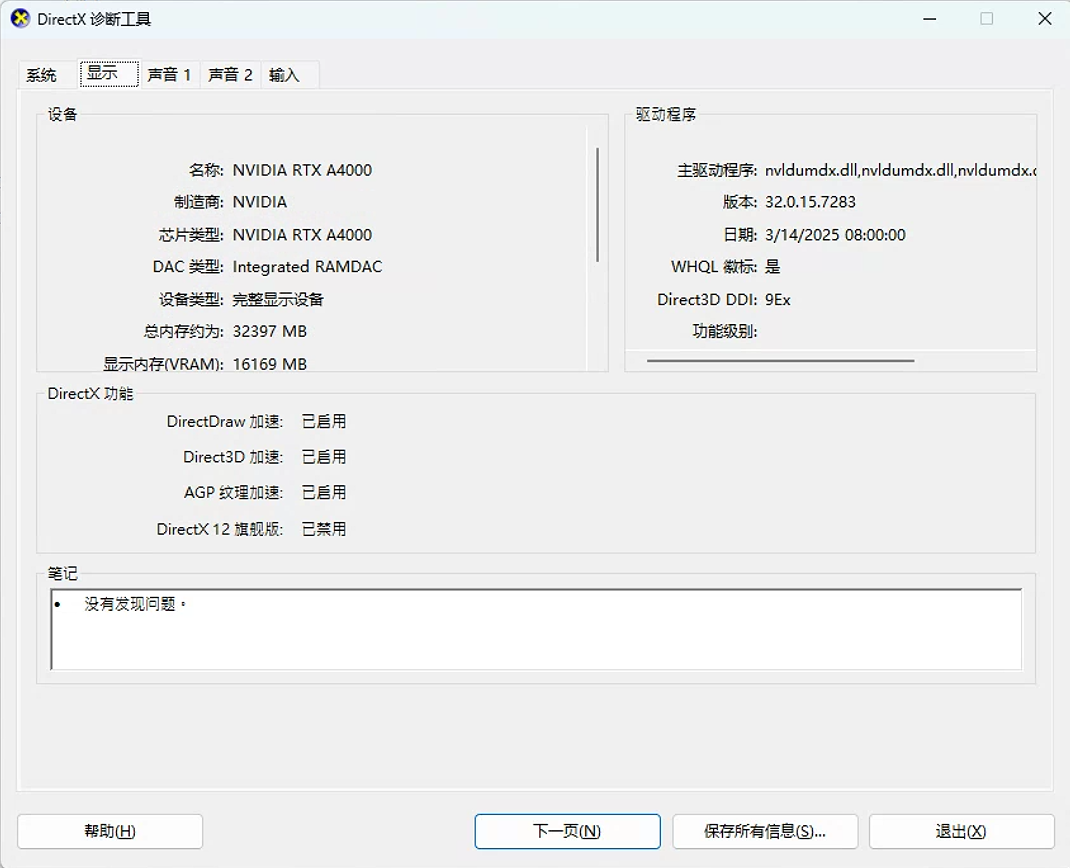
3、重启浏览器三维无法恢复后,在命令行输入dxdiag运行DirectX,发现显卡驱动正常。
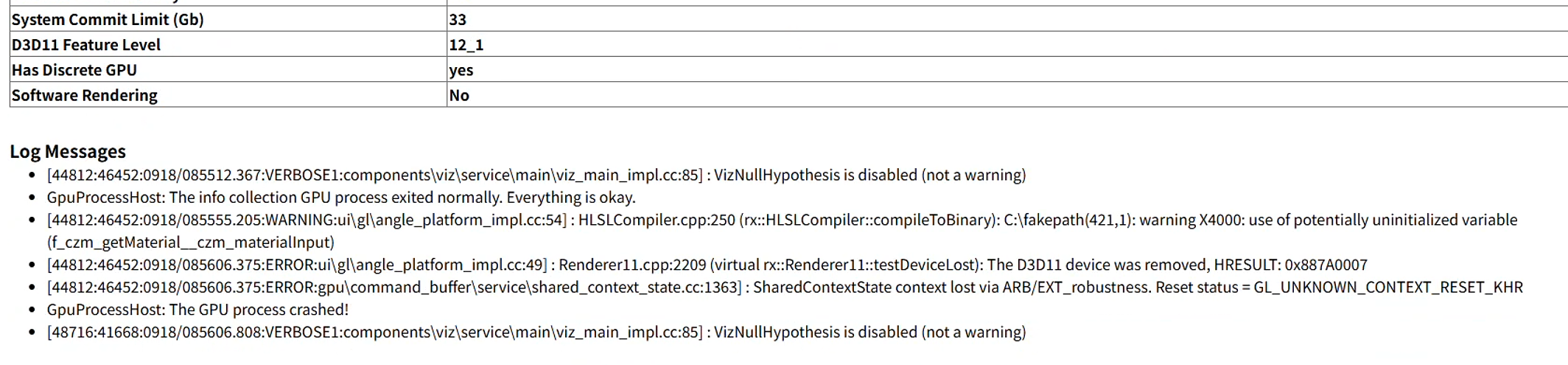
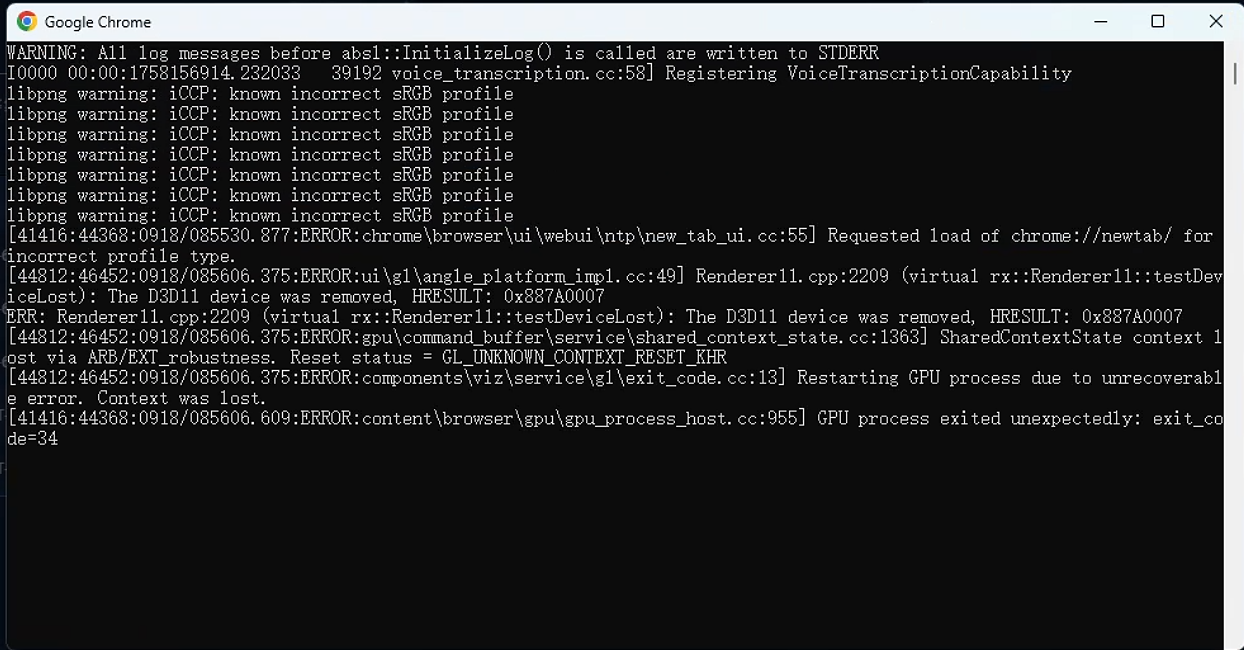
4、开启浏览器WebGL日志,发现以下错误。
System Commit Limit (Gb)          33
D3D11 Feature Level               12_1
Has Discrete GPU                  yes
Software Rendering                No
Log Messages
[44812:46452:0918/085512.367:VERBOSE1:components\viz\service\main\viz_main_impl.cc:85] : VizNullHypothesis is disabled (not a warning)
GpuProcessHost: The info collection GPU process exited normally. Everything is okay.
[44812:46452:0918/085555.205:WARNING:ui\gl\angle_platform_impl.cc:54] : HLSLCompiler::compileToBinary: C:\fakepath(421,1): warning X4000: use of potentially uninitialized variable (f_czm_getMaterialczm_materialInput)
[44812:46452:0918/085606.375:ERROR:ui\gl\angle_platform_impl.cc:49] : Renderer11.cpp:2209 (virtual rx::Renderer11::testDeviceLost): The D3D11 device was removed, HRESULT: 0x887A0007
[44812:46452:0918/085606.375:ERROR:gpu\command_buffer\service\shared_context_state.cc:1363] : SharedContextState context lost via ARB/EXT_robustness. Reset status = GL_UNKNOWN_CONTEXT_RESET_KHR
GpuProcessHost: The GPU process crashed!
[48716:41668:0918/085606.808:VERBOSE1:components\viz\service\main\viz_main_impl.cc:85] : VizNullHypothesis is disabled (not a warning)
libpng warning: iCCP: known incorrect sRGB profile
libpng warning: iCCP: known incorrect sRGB profile
libpng warning: iCCP: known incorrect sRGB profile
[41416:44368:0918/085530.877:ERROR:chrome\browser\ui\webui\ntp\new_tab_ui.cc:55] Requested load of chrome://newtab/ for incorrect profile type.
[44812:46452:0918/085606.375:ERROR:ui\gl\angle_platform_impl.cc:49] Renderer11.cpp:2209 (virtual rx::Renderer11::testDeviceLost): The D3D11 device was removed. HRESULT: 0x887A0007 'The GPU will not respond to more commands, most likely because of an invalid command passed by the calling application.'
ERR: Renderer11.cpp:2209 (virtual rx::Renderer11::testDeviceLost): The D3D11 device was removed. HRESULT: 0x887A0007
[44812:46452:0918/085606.375:ERROR:gpu\command_buffer\service\shared_context_state.cc:1363] SharedContextState Context lost via ARB_robustness. Reset status = GL_UNKNOWN_CONTEXT_RESET_ARB
[44812:46452:0918/085606.375:ERROR:components\viz\service\gl\exit_code.cc:13] Restarting GPU process due to unrecoverable error. Context was lost.
[41416:44368:0918/085606.609:ERROR:content\browser\gpu\gpu_process_host.cc:955] GPU process exited unexpectedly: exit_code=34
解决方案
抱歉,这个问题我们没有找到彻底的解决方案。CPU占用率高、GPU占用率低、几乎不占用显存是这个原因导致的,参考:Mars3D和Cesium三维GIS页面CPU占用高GPU占用低的解决方法 。在寻找解决方案的过程中,我们得到了以下结论,仅供参考。
1、减小火星3D画布大小,降低使用强度,可以延长显卡崩溃的时间。
2、三维连续5~6天高负荷运行,崩溃后重启浏览器无效,可能是由显卡超负荷运行导致的。
推荐阅读
CodeBuddy 安全删除拦截器背锅记:一次 Vite 构建产物陈旧引发的微前端 404 白屏复盘
做三维开发别再自己从零找素材了:这 5 套 GIS/3D 资源包帮你把时间省回来
CodeBuddyIDE与Trae终极对决:谁是最强国产AI编程IDE?最新版本深度横评
XWiki知识库基础版与专业版正式上架:把知识沉淀与隐私管理,握回自己手中
VMware Workstation 17许可证密钥及免费激活方法详解
不用反向传播,能走多远?——我在 MNIST 上把零梯度网络做到了 97.48%
评论 (3)
请 登录 后发表评论
 王同学Peter2025-12-02 08:45:37
感谢作者分享这个深度技术问题!我们项目也遇到过类似崩溃,重启电脑太影响效率了。文档里提到的WebGL上下文丢失和显存累积现象描述得很准,期待后续能介绍更具体的代码层预防或恢复方案。
林深见鹿2025-11-20 08:47:58感谢分享!最近刚好遇到类似问题,刷新能暂时恢复但治标不治本。想请教下除了重启电脑,是否有更便捷的WebGL资源释放方法?
 管理员2025-12-02 19:56:40
我用的方法是WebGL应用在切换页面时自动刷新浏览器,但是在本文的场景下,这解决不了任何问题。我查找了资料,显卡驱动和操作系统层面都没有提供释放显存的api函数。